
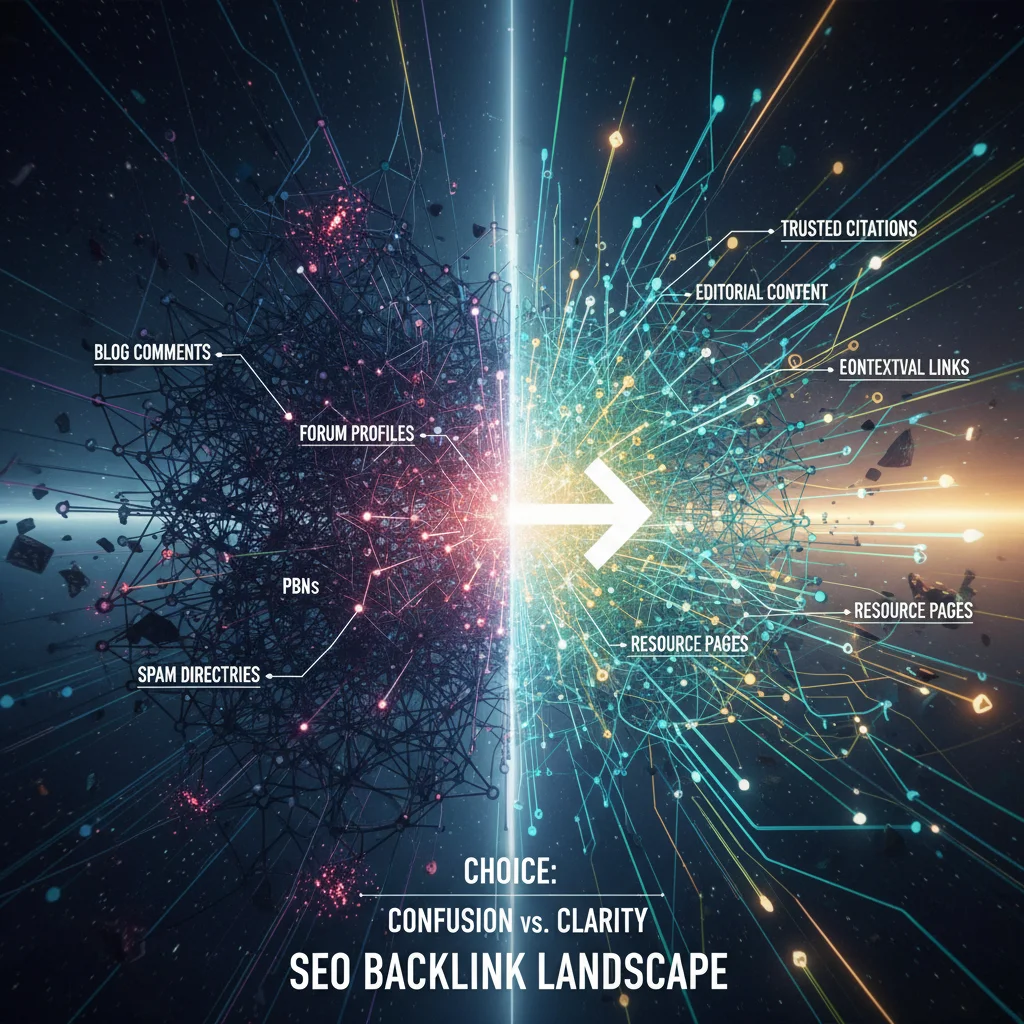
Do you think search optimisation is simply a question of volume? Think again.
In the world of SEO, backlinks are the currency. They act as votes of confidence from other sites towards yours.
But be careful: not all votes are equal.
Some “votes” can even cost you dearly. Would you imagine investing thousands of francs in a growth strategy only to see all your organic traffic disappear overnight because of a Google penalty?
That is exactly what happens when your link profile is contaminated by what are known as “bad backlinks”.
Here is how to understand, identify and eliminate these toxic links in order to protect your digital investment.
Backlinks: a pillar of your digital authority
To understand why bad links are dangerous, we first need to recall why links exist.
Google treats every link pointing to your site as a recommendation. If an authoritative site in your sector (such as a major Swiss media outlet or a government institution) links to you, your credibility rises sharply.
It is a strong signal for search engines. It indicates that your content is relevant, reliable and deserves to be highlighted.
A good link-building strategy translates directly into:
- Better visibility on your strategic keywords.
- An increase in qualified traffic.
- Measurable growth in your revenue.
The opposite is just as true, however. If the recommendations come from dubious sources, your digital reputation collapses.
What is a “bad backlink”?
A bad backlink is an artificial, irrelevant link, or one coming from a low-quality site, designed solely to manipulate search algorithms.
Thanks to its updates (such as Penguin or SpamBrain), Google has become extremely good at spotting these manipulation attempts.
If you have bought cheap link packages or worked with unscrupulous providers in the past, your site may be at risk.
Here is a checklist for spotting the bad kinds of links:
- Blog comments: links generated automatically in comment sections are pure spam.
- Forum profiles: Creating fake profiles on hundreds of forums just to slip a link into a signature is an obsolete and dangerous technique.
- Footer links: having your link repeated on every page of a third-party site through the footer is a warning sign for Google.
- Blogrolls: these lists of links, often in a blog's sidebar, no longer carry any SEO value and can be seen as artificial.
But that is not all. You also need to assess the source.
Here are the characteristics of the bad sites you really do not want links from:
- Non-unique IP addresses: if hundreds of sites come from the same IP address (on the first two octets), that is often the sign of a low-quality private blog network (PBN).
- “Spun” content: texts generated automatically or badly rewritten by software, often unreadable to a human.
- Dubious sectors: If the site has inbound or outbound links to themes such as gambling, online pharma or adult content.
- Geographic inconsistency: a company site based in Geneva receiving 70% of its links from China? That makes no logical sense and will be flagged by Google.
- Language inconsistency: in the same way, a site written in French receiving most of its backlinks from Russian or Chinese sites is suspicious.
Conversely, a good site is a site that does none of that. It has a genuine audience, clean editorial content and a topic close to your own.

How do you identify these toxic links?
You cannot fix what you do not measure.
For decision-makers and marketing managers, it is crucial to have a clear view of the health of your company’s link profile.
Here is how to go about a quick audit:
1. Use Google Search Console
It is Google’s free, official tool. In the “Links” section, you can see the “Top linking sites”. Go through that list. Do you see odd domain names, irrelevant country extensions (.ru, .cn, .tk) or sites with questionable content?
2. Use third-party analytics tools
Platforms such as Semrush, Ahrefs and Majestic offer more advanced metrics. They often assign a “toxicity score” or a “spam score” to each link. If a link has a high toxicity score (above 60%, for instance), it deserves your immediate attention.
3. Manual analysis (the final arbiter)
Tools do not do everything. Sometimes a link may look toxic algorithmically but be perfectly legitimate. Ask yourself this simple question: “If Google did not exist, would this link be of any interest to my business?” If the answer is no, it is probably a bad backlink.
The impact of these links is not trivial. They can trigger an algorithmic devaluation (your site slips slowly down the results) or a manual action (a Google employee decides to penalise your site). In the case of a manual action, it often means your site disappears entirely from search results. The cost to your business would then quickly run into tens of thousands of CHF in lost revenue.
How do you get rid of bad backlinks?
Once the culprits are identified, you have to act. Cleaning up links is a delicate process that calls for method.
Here are the two main steps for cleaning up your profile:
Step 1: Removal at source
This is the method most recommended by Google, but also the most tedious. It consists of contacting the webmasters of the sites hosting these toxic links to politely ask them to remove them.
Let us be realistic: the response rate is often low. Many of these sites are abandoned or run by bots. Documenting these attempts still matters, though, if you ever have to submit a reconsideration request to Google after a manual penalty.
Step 2: The Disavow Tool
If you cannot get the links removed, you have to ask Google to ignore them. That is what is called disavowal.
Caution: this is an advanced feature. Using it badly can harm your performance. Only disavow links you are certain are toxic.
The procedure is as follows:
- Create a text file (.txt) encoded in UTF-8.
- List the domains to block using the format domain:le-site-toxique.com.
- Log in to the link disavow tool in Google Search Console.
- Select your property and upload the file.
By doing this, you are technically telling Google: “I have no control over these links, please do not take them into account when calculating my authority”.
It protects your site from the harmful effects of those links, without needing them to be physically removed from the web.
Protect your growth over the long term
SEO is not a sprint, it is a long-distance race that demands rigour and a strategic vision.
Shortcuts, such as building poor-quality links, always end up costing more than they bring in. Google penalties are severe and it can take months to recover.
For a company aiming for growth, quality must always take precedence over quantity.
Your objective should be to build a healthy digital ecosystem, based on strategic partnerships and high-value content that naturally attracts quality links.