

Traffic is falling. Rankings are slipping. Impressions are down. So we look at keywords, backlinks, site speed, the competition… And sometimes we miss the silent enemy: dead pages.
The ones that stay there, frozen. Invisible to visitors, but very visible to Google. And which, day after day, drag down a site’s reputation for quality.
What is a “dead page”?
A dead page is not necessarily a broken page. It is a page that still lives on the site, but no longer in visitors’ minds. Neither read, nor shared, nor liked.
That could be:
- an old page for a past event,
- an obsolete blog post with no traffic for two years,
- a product page for a discontinued item,
- an abandoned project of which only an empty shell remains.
They are traces of a digital past left unmaintained. Artefacts of finished projects, left visible to Google’s bots and to visitors alike.
Why dead pages damage a site’s visibility
The problem is not only aesthetic. It is structural.
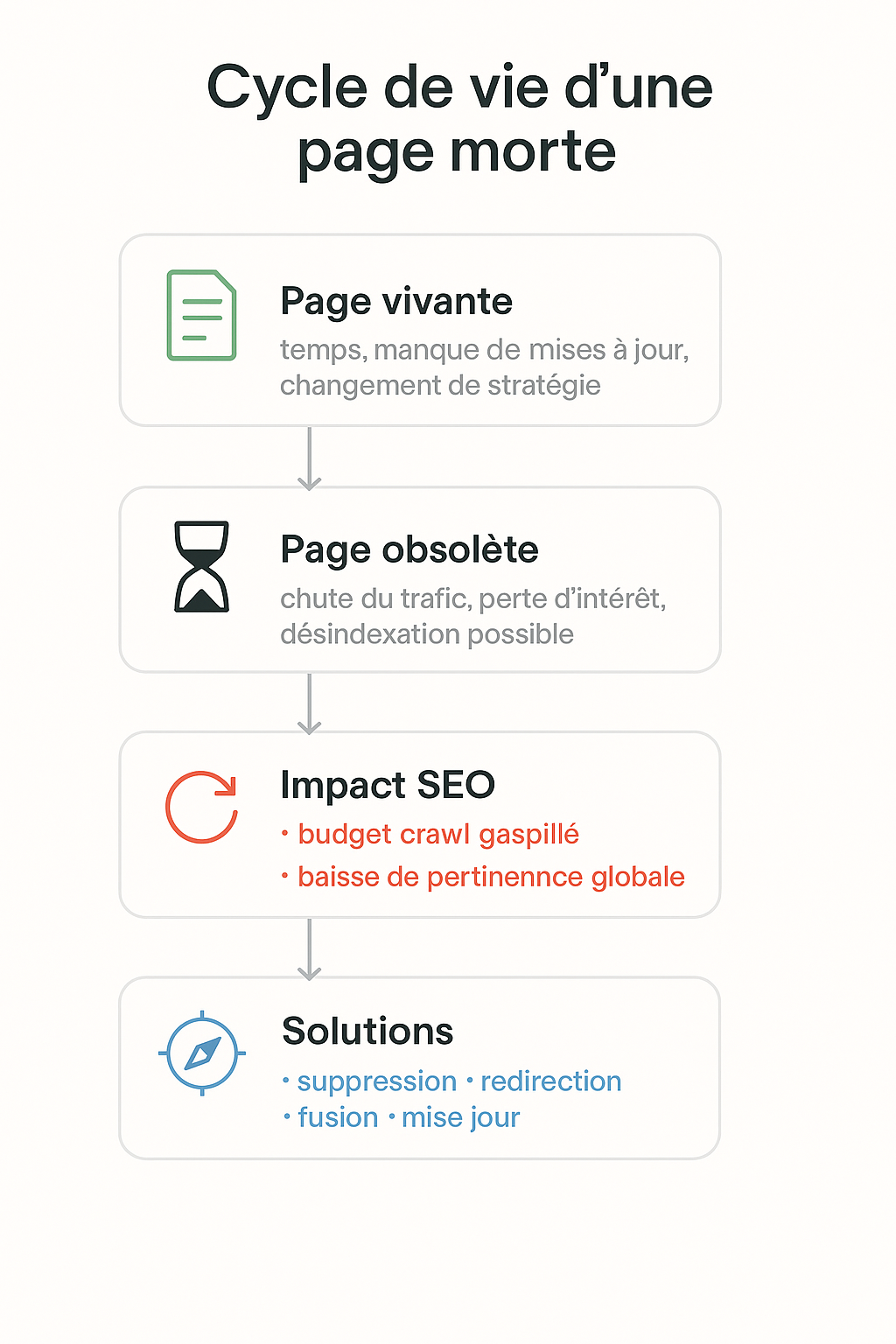
Google allocates each site a crawl budget. A limited crawling capacity. Every dead page wastes that budget. It draws the crawlers’ attention away from your strategic pages.
The engine also looks at the ratio between indexed pages and active pages. A site that accumulates empty or forgotten content is perceived as less alive, less relevant, less reliable.
Over time, it is the authority of the whole domain that slowly erodes. Even if the best pages are still carefully looked after. Even if recent content is excellent.
Dead weight does not disappear on its own. It slows things down. It weighs them down. It drags them lower.
How to identify dead pages
No esoteric tools needed. A little method is enough.
- Search Console shows which pages have had no impressions for months.
- A full crawl with Screaming Frog shows orphan pages, those with no internal links, those returning errors or those that are no longer even reachable.
- Google Analytics (GA4) flags pages with no visits at all over six months or more.
- A cross-check with Ahrefs or SEMrush reveals which pages have no external links and no traffic history.
The task is often larger than you imagine. Even on young sites.
What to do with dead pages
Every page has to be assessed coldly.
- Delete content that serves no purpose, with no traffic, no backlinks and no historical value.
- Redirect those that carry some age or SEO signals towards more current or strategic pages.
- Merge when several scattered pieces cover the same subject without coherence.
- Archive privately content that is sensitive or useful only internally, without exposing it to the engines.
Cleaning up a site does not impoverish it. It lets it breathe again.
What we can take from it
A site is not stronger because it is bigger. It is stronger because it is clearer. More coherent. More alive.
A site loaded with dead pages is like an old attic full of broken objects. It clutters. It slows things down. It blurs the view.
Regular cleaning is a sign of digital maturity. Not to please Google. To become readable again. So that every page counts. So that every visit means something.
📚 First-hand studies and resources
- Google – Managing crawl budget for large sites Google explains that useless or outdated pages can waste crawl budget, affecting how efficiently the site is crawled and how well important pages are indexed.👉 Read the documentation
- AllAboutAI – Removing outdated content: how deleting old content improves rankings Strategically removing outdated or underperforming pages can improve visibility in search engines and overall site performance.👉 Read the article